
As a systems engineer, I am constantly changing and optimising my setup. I’m now at a point where I’m happy with its current state, so I’ve decided to dedicate this post to it. I have split this post into three parts.
Main PC and office space (aka corner of my bedroom 😉 )
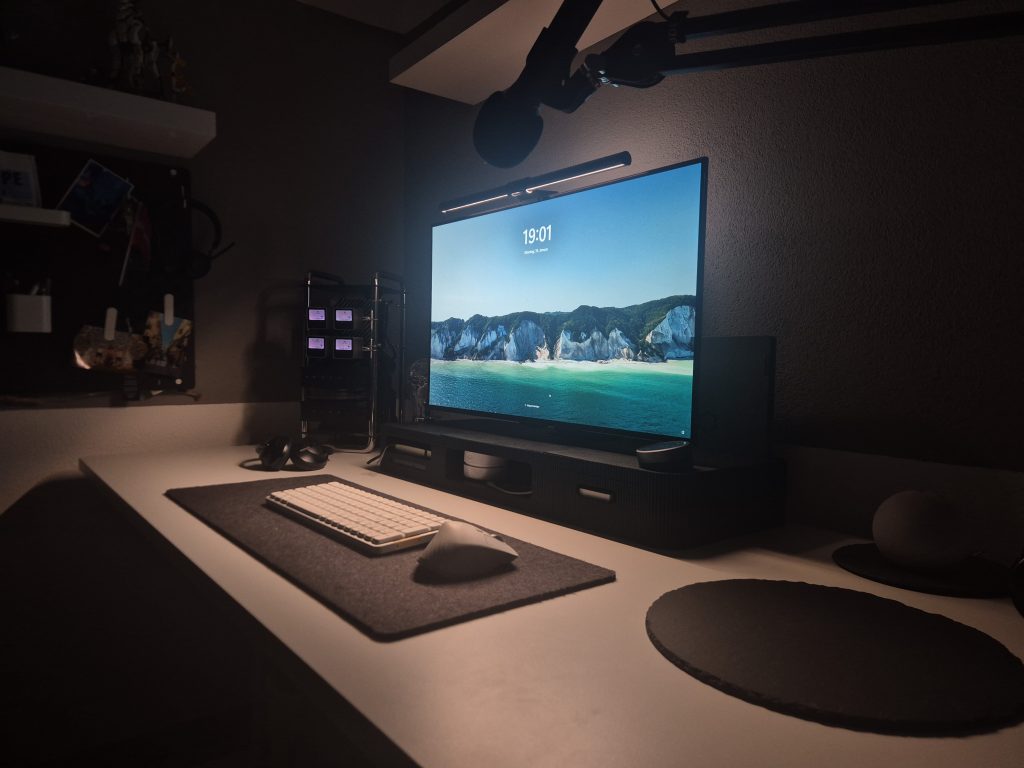
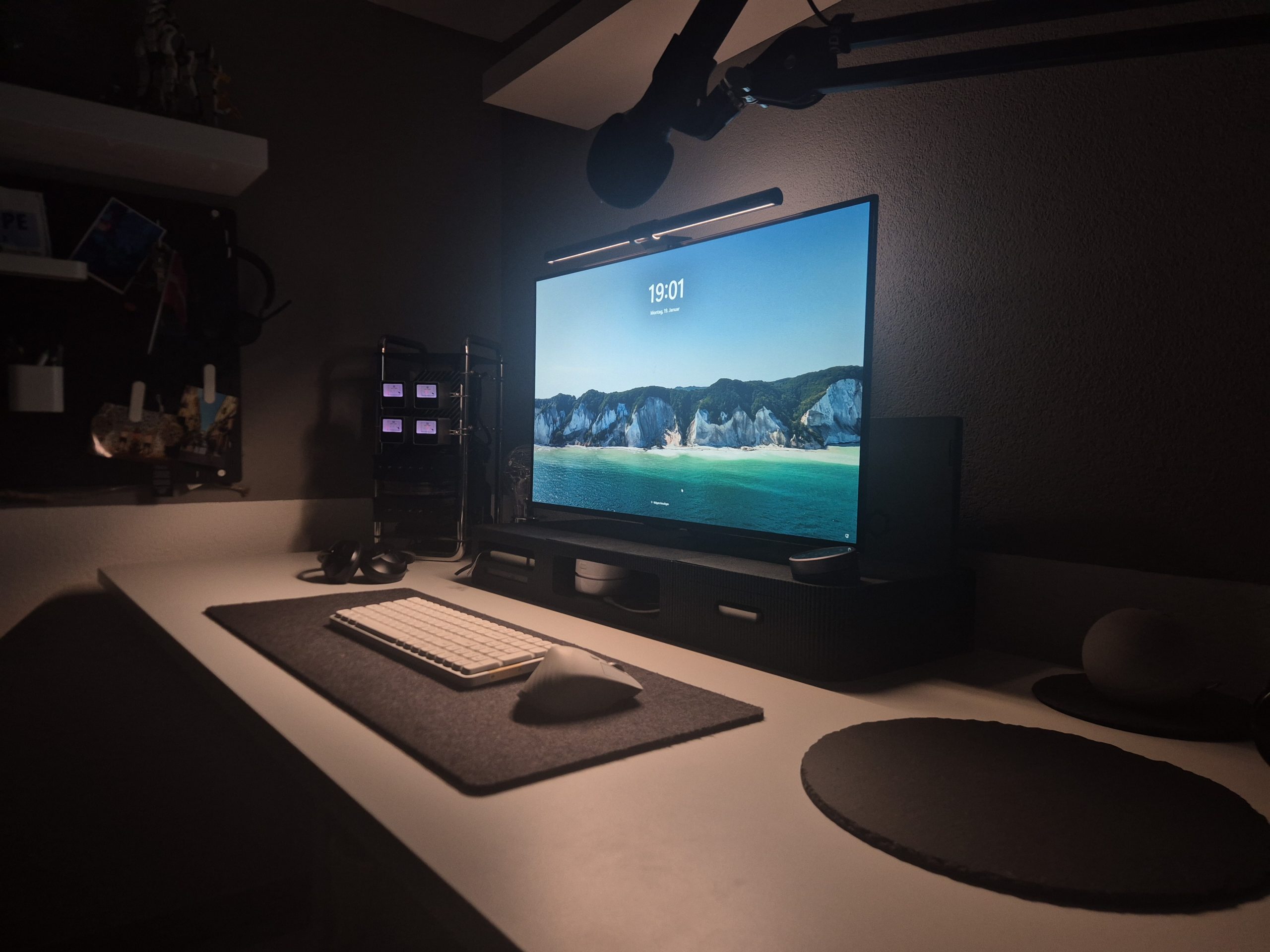
My office space is centred around a Flexispot E7 with a white tabletop and cable channel (#notsponsored). The desk has already saved me at least two years. It’s still working perfectly and the large cable channel has proved to be one of the best additions. I can store a power strip, a USB hub connected to my main PC and a whole mini PC there.
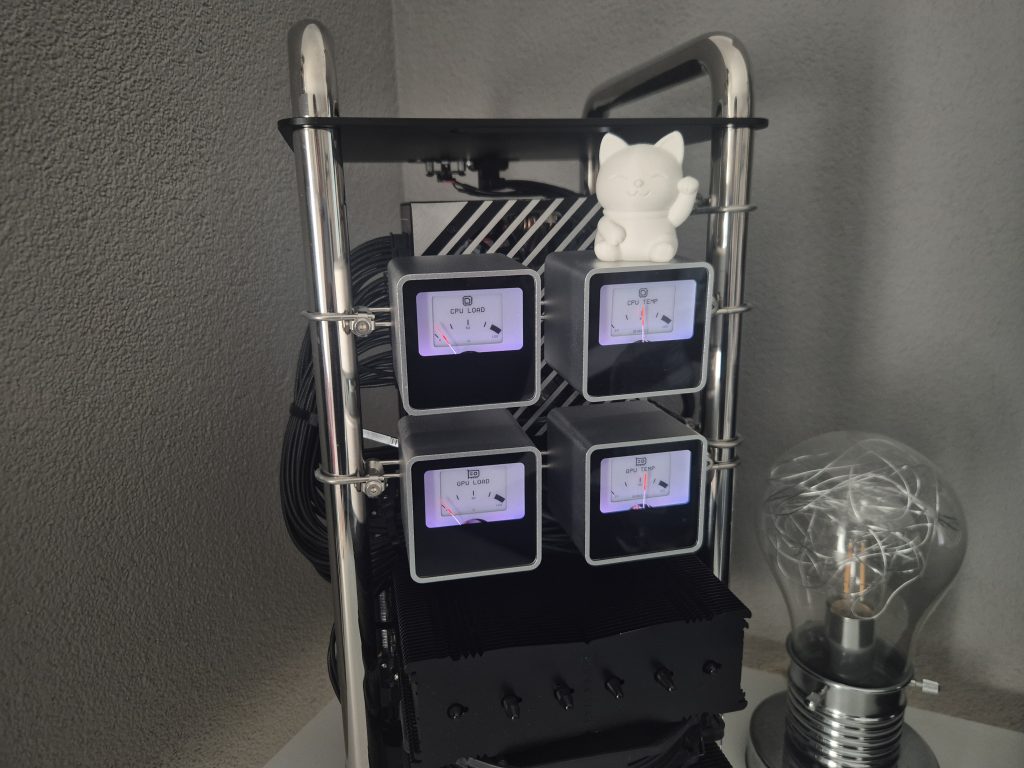
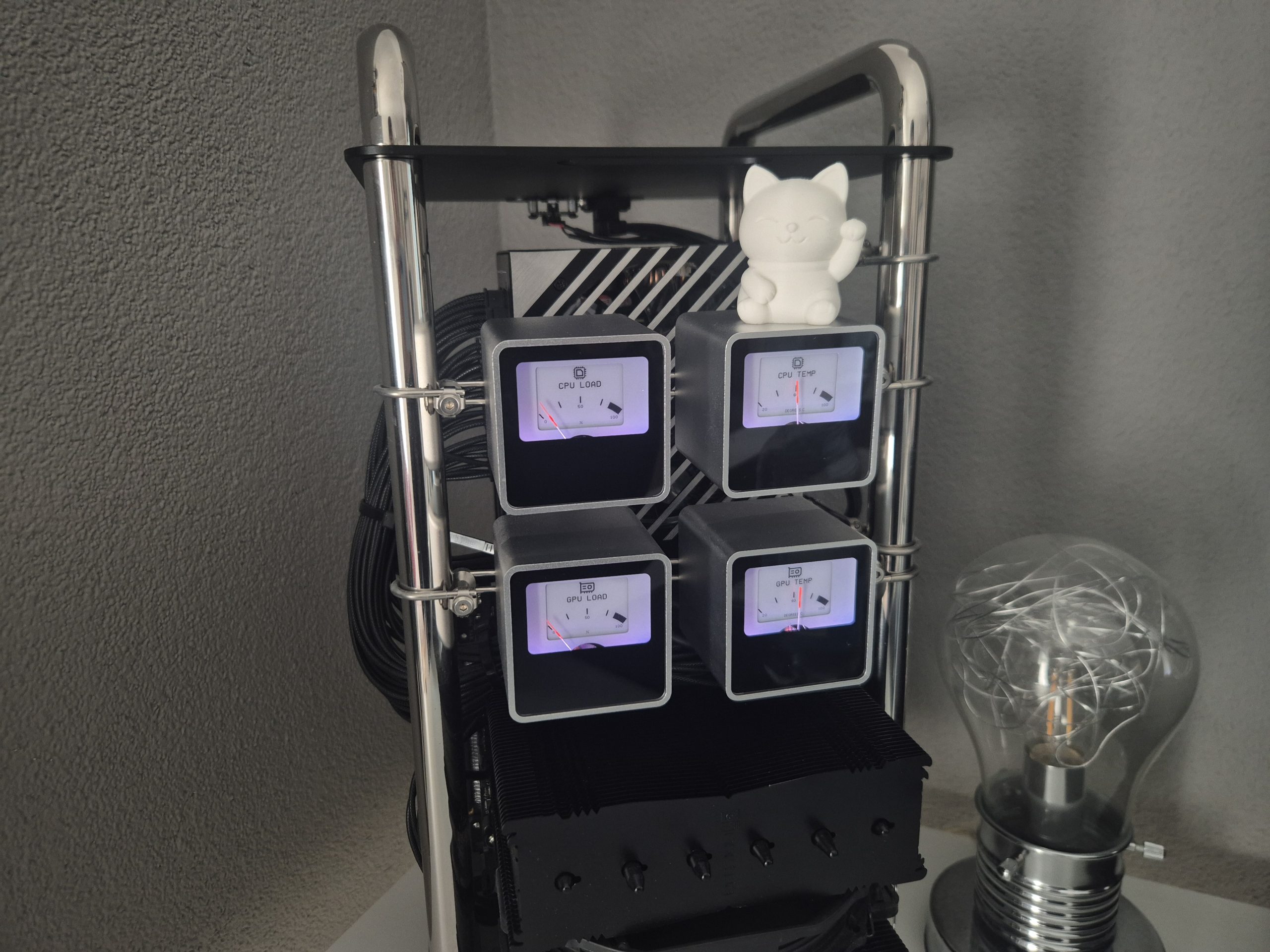
On the desk, you can find my main PC. It’s based on the Streacom DA6 XL Mini ITX case in chrome with the VU1 Dynamic Analogue Dials. I built this PC in January 2025, before the PC components industry went downhill. The main components are a Ryzen 7 9800X3D processor and an RTX 5080 graphics card. With this setup, I have had no problems modelling in Fusion 360, editing videos in DaVinci Resolve, and playing the latest games. I would say it’s a real allrounder. If you want to know more, you can find a detailed list of components at the bottom of the post. You can also find inspiration for my build on the Devyn Johnston YouTube channel.
The PC is complemented by the LG UltraGear™ 32inch Dual-Mode OLED (32GS95UX-B) monitor. It’s the best monitor I’ve ever had. It has 32inch screen and the best speakers I have ever heard from a monitor. It’s a beast for working from home, homelabbing or just playing games. To work for longer and more comfortably, I also added the BenQ ScreenBar Halo, which matches the monitor perfectly.
For typing, I use the LOFREE Flow100 keyboard. The silent, low-profile switches make all the difference. To match it, I’m using the white version of the Logitech MX Master 3S. Everything has its place on the medium sized BALOLO Desk Pad.
Finally, we have the RØDE PSA1 and the Samson Q2U. This microphone is equipped with a comfortable mute button on the microphone itself and a louder/silent switch to control the PC’s sound. It can be connected via XLR to a audio interface or, as I’m using it, directly via USB-A to the PC.
My 3D printing area
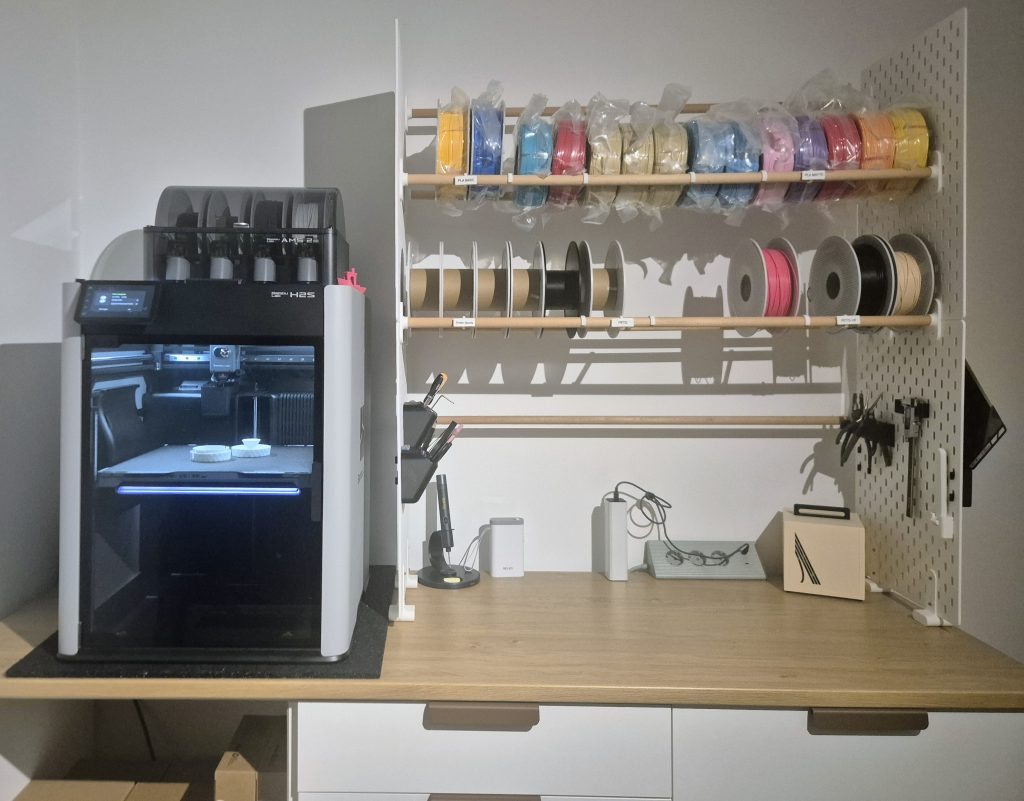
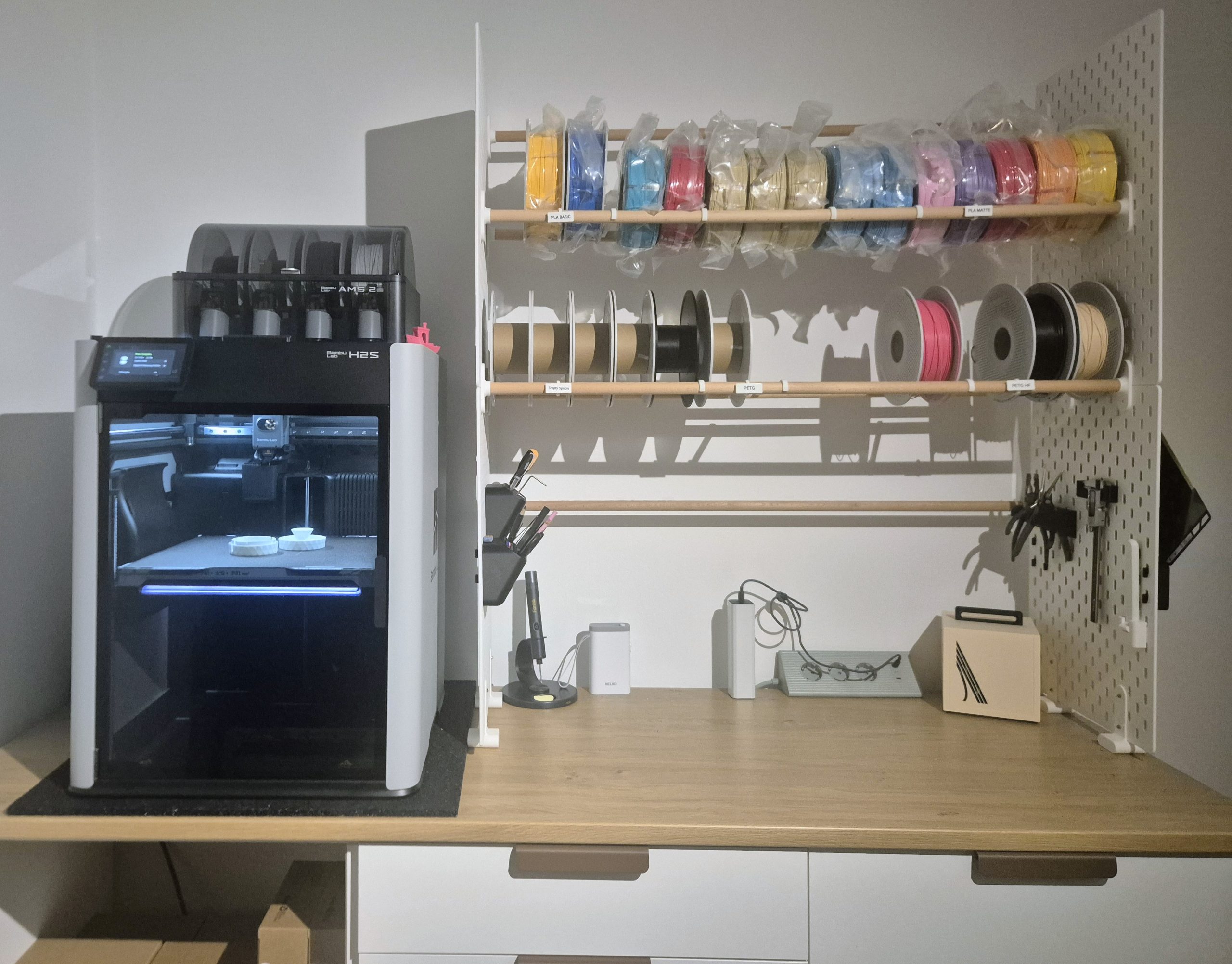
I have been the proud owner of the Bambulab H2S since December 2025. This gave me the opportunity to set up a small 3D printing/crafting area. The main piece is, as the name suggests, the Bambulab H2S. It is a single nozzle, enclosed 3D printer with a print bed of 340×320×340 mm. This allows me to print my own designs and test new products. I also bought the combo with the AMS 2 Pro. This is an easy to heat, automatic material system that can dry out your filaments when needed and allows you to print in multiple colours.
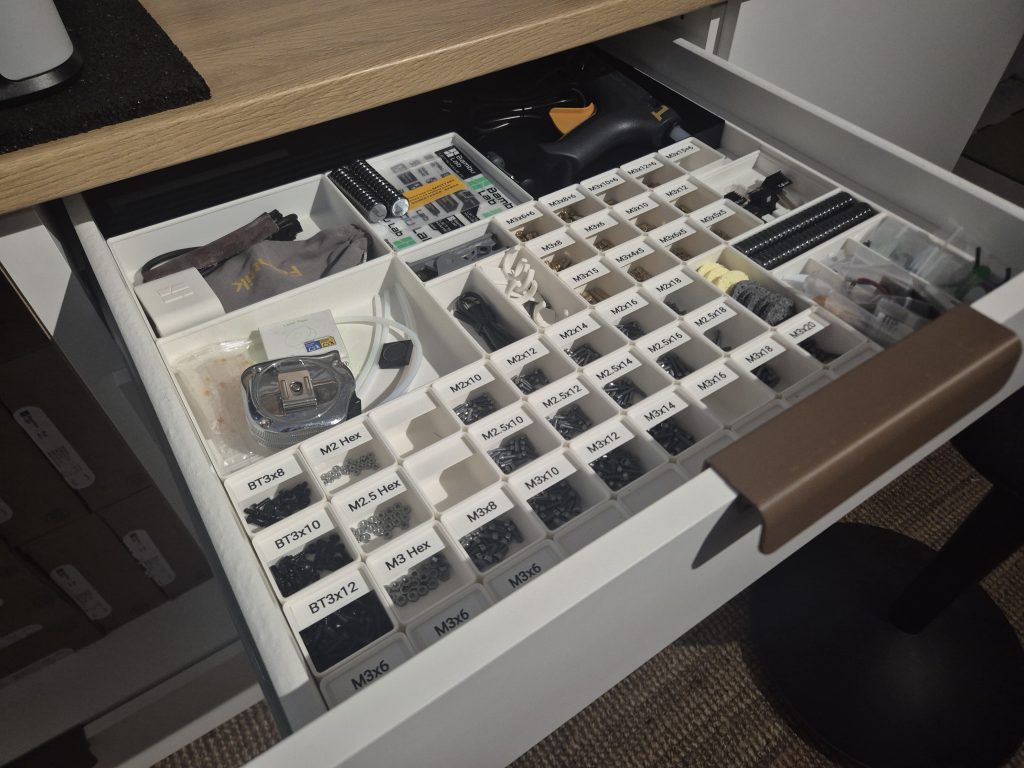
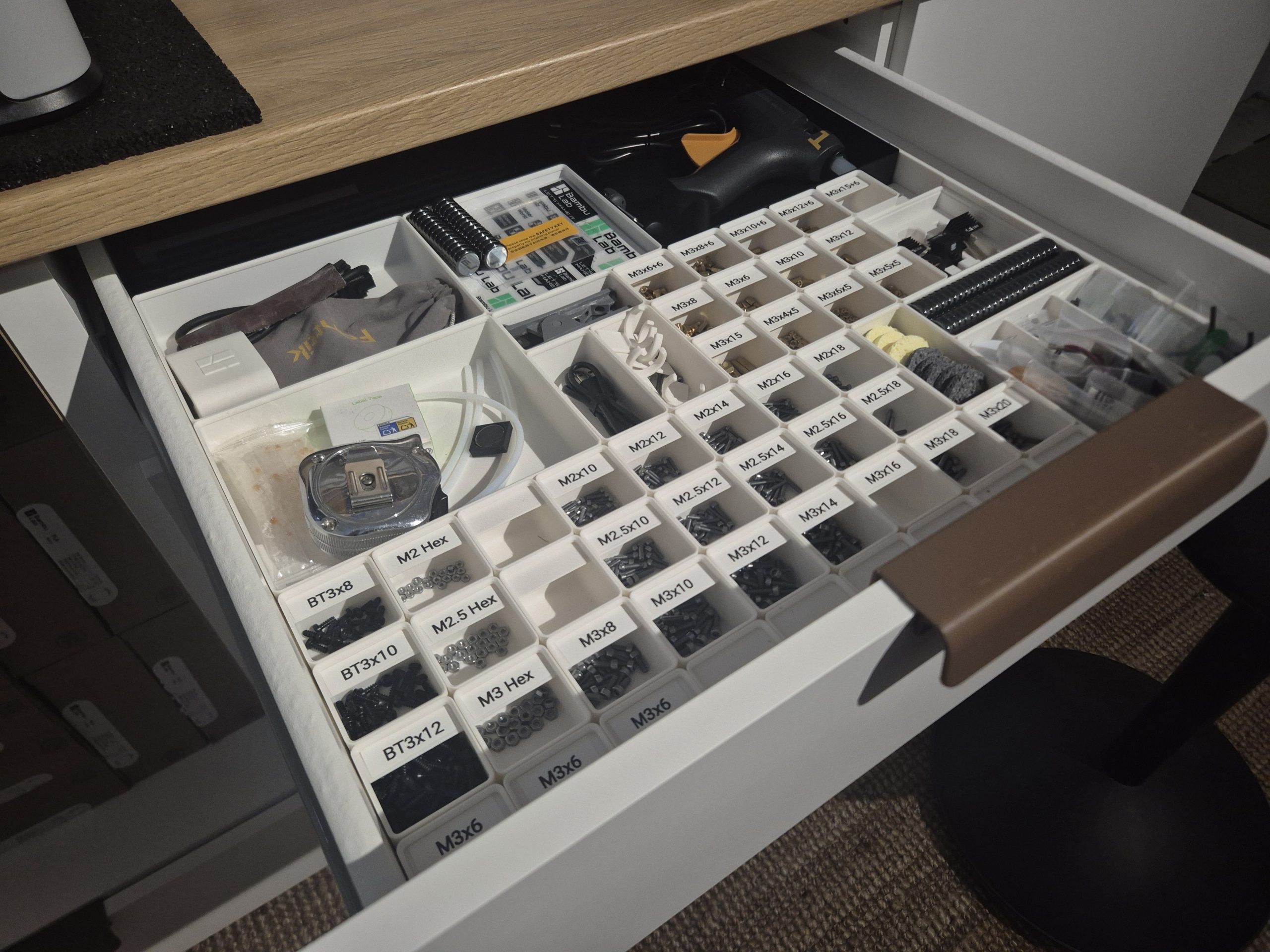
While searching for a cabinet to house the large printer, I came across the IKEA KNOXHULT base cabinet. At only 117€, it outperformed real workstation benches while still offering ample storage space and a solid countertop. For the top drawer, I decided to use the Gridfinity system. This allowed me to organise all my small tools and crafting hardware.
As I acquired more and more filament, I also decided to build a small filament holder shelf. This led me to design my own filament holder shelf that doesn’t need to be mounted on or attached to a wall. If you want to know more about it, I have also published the files to makerworld. Because it is also built using IKEA SKÅDIS boards, you can attach multiple mounts to it and use these to attach the most frequently used tools.
Working on the way
Sometimes I need to leave my four walls and go outside. I know it’s hard to believe! In this case, I’ve gathered some tools that I often bring with me when I have to work outside of my comfort zone.
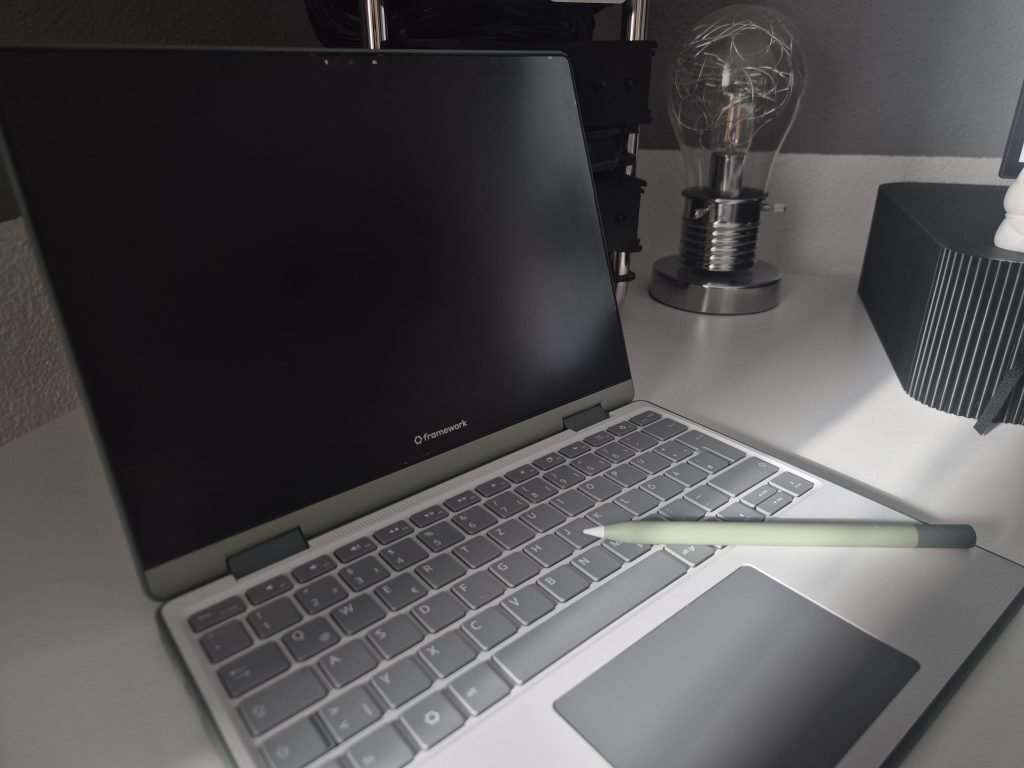
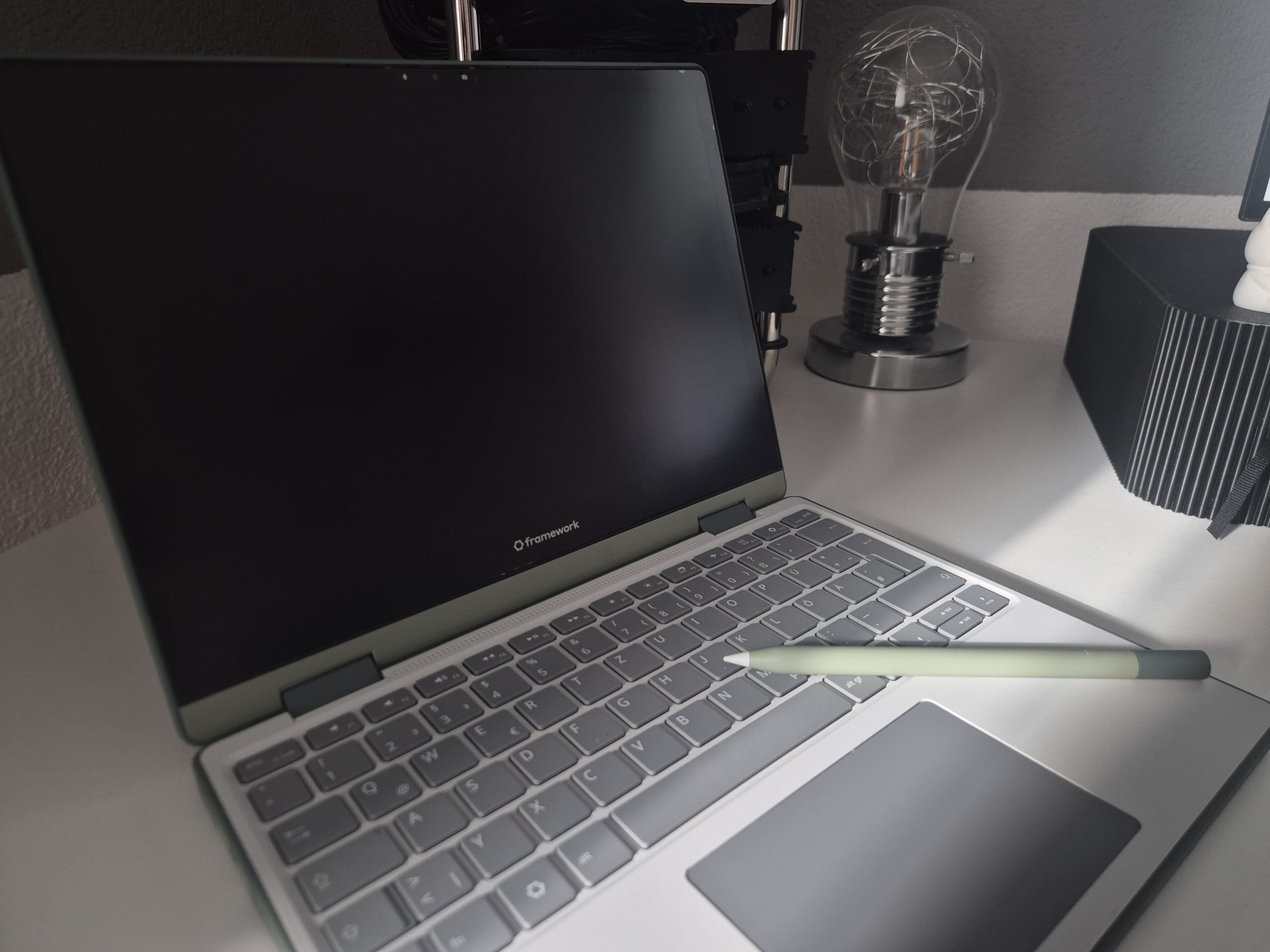
The main star of my on the road setup is the Framework 12. It’s a fully customisable and repairable 12inch laptop. I have had this laptop since August 2025. And it’s been rock solid ever since. I also bought the 1 TB extension card from Framework. I’m currently dual booting with it. The first operating system is Windows 11 Pro and the second is Fedora 43 KDE. I might write a review post at some point with a deep dive into this system.
The older Anker 737 Powerbank 24000mAh and Anker 140W USB-C Charger are also great all rounders. With this combination, I have never had any problems charging devices such as my phone or laptop on the go. I can also fully recommend the Anker 10000mAh portable charger for a smaller and lighter energy source. The builtin USB-C cable is very useful.
Finally, we have my camera equipment for street photography, as well as for holidays and landscapes.
First, there is the Canon M50 Mark II. Although it is normally advertised as a vlogging camera, I use it as my perfectly tiny street photography camera. It’s easy to use, lightweight, and has enough features and possibilities to help you take the best holiday photos. For some retro vibes, I also own the Instax Mini 41, which is the perfect addition to the set.
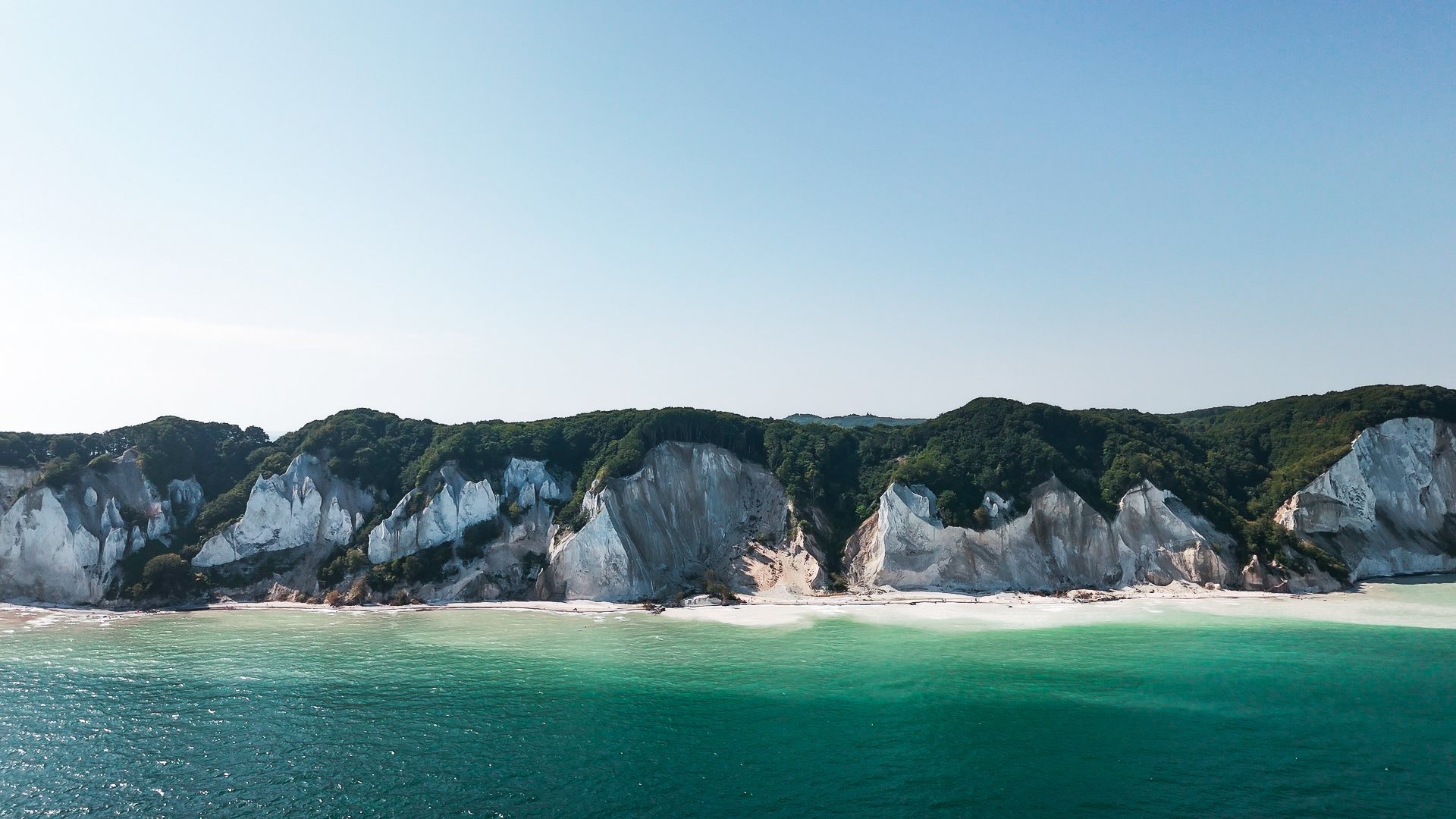
To cover the airspace, I use the DJI Mini 4 Pro. This gives me the opportunity to capture landscapes from a different angle.

My main computer build
| CPU | AMD Ryzen 7 9800X3D, 8C/16T |
| GPU | MSI GeForce RTX 5080 16G Ventus |
| RAM | T-Create Expert 2 x 16GB, DDR5-6000, CL30-36-36-76 |
| NVME 1 | 1TB WD Black SN770 |
| NVME 2 | 2TB WD Black SN770 |
| Mainboard | ASUS ROG Strix B650E-I Gaming WIFI |
| Riser Cable | Streacom RZ4 – PCIe Gen4 Riser Cable |
| Dials | Streacom VU1 Dynamic Analogue Dials |
| Case | Streacom DA6 XLOpen Frame chrom, Mini-ITX |
| Cooler | Noctua NH-D15 chromax.black |
| Power Supply | ASUS ROG Loki Platinum, 750W SFX-L |
Leave a Reply